
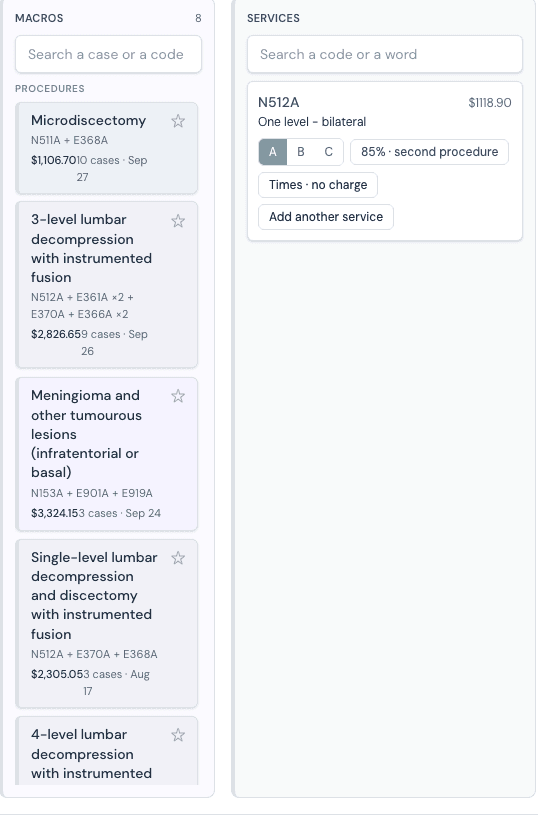
Pick the operation
Your operations are the buttons.
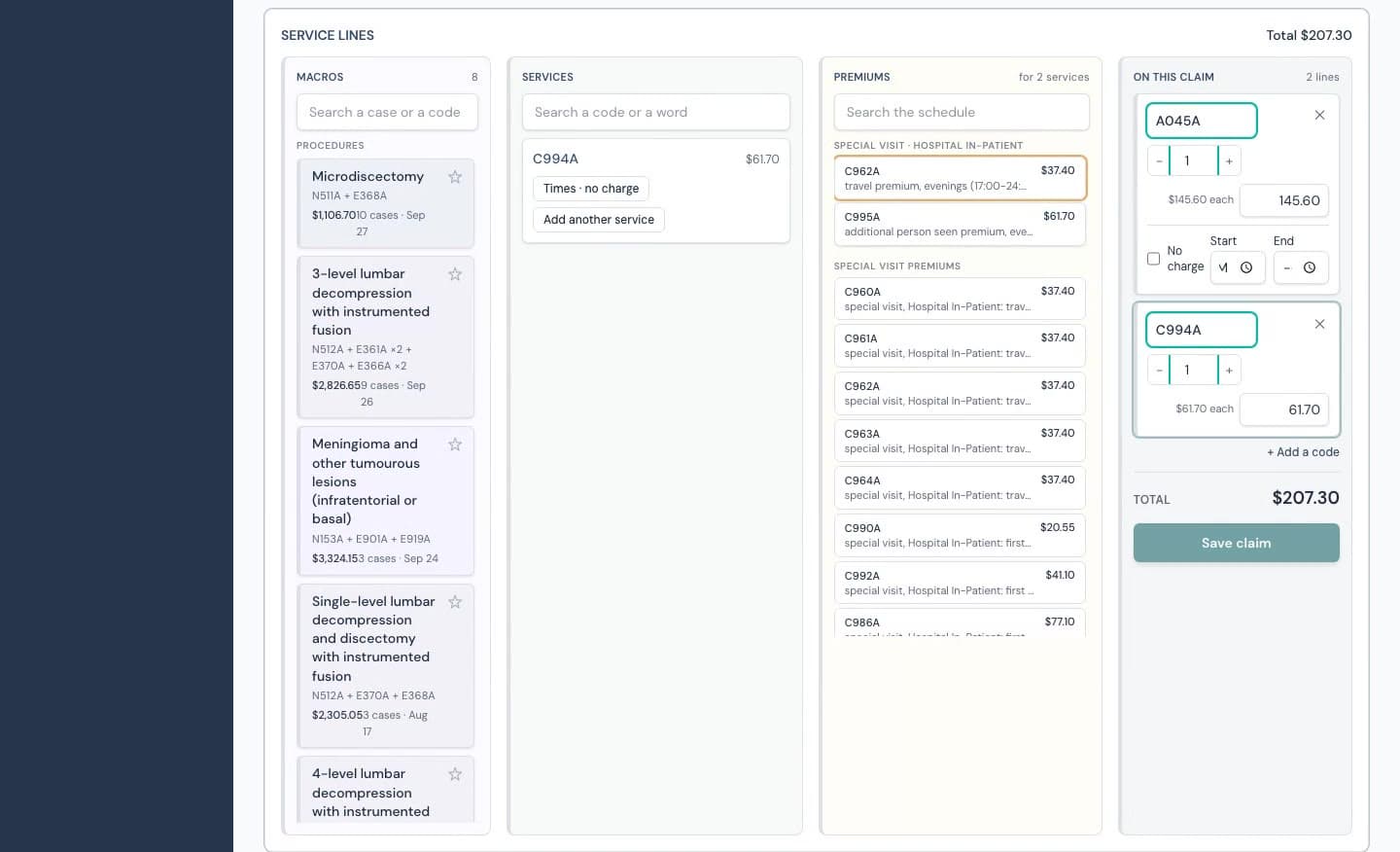
The agent mines your paid claims into macros, in the words of the schedule: “3-level lumbar decompression with instrumented fusion”. One tap places every code. No code list to remember.
OHIP billing for Ontario physicians
Doctors think in operations, rounds and consults. Ubika Billing reads the Schedule of Benefits and your own remittances, turns what you did into the claim, and shows you the page behind every premium you are owed.
Every name in every recording on this site is invented.
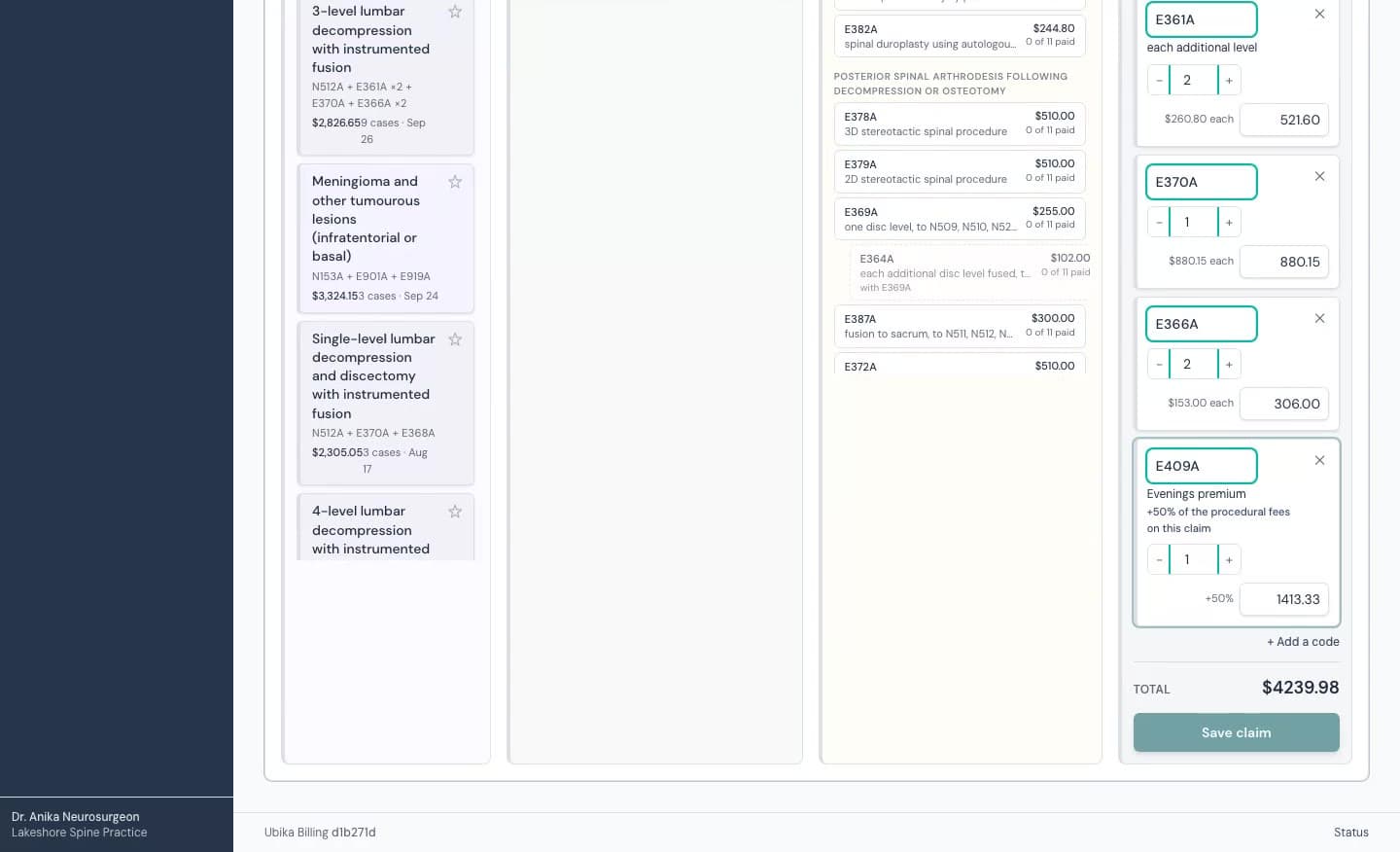
Every code cites its page
Nothing is generated. Every code and premium the agent offers sits on a page of the Schedule of Benefits, and the page is shown.
It learns from your remittances
Your paid claims are the training set: the operations you do, the premiums you are paid, the days you round.
You authorize every claim
The agent builds. A physician approves. Nothing reaches the ministry without a named person’s authorization.
Canadian, PHIPA-aligned
Hosted in Canada. Health information encrypted at the column. Every practice separated in the database itself.
Actions
The agent turns what you did into the claim, and turns your own billing history into the next thing to do. Codes become a detail it handles, and shows.
Pick the operation
The agent mines your paid claims into macros, in the words of the schedule: “3-level lumbar decompression with instrumented fusion”. One tap places every code. No code list to remember.
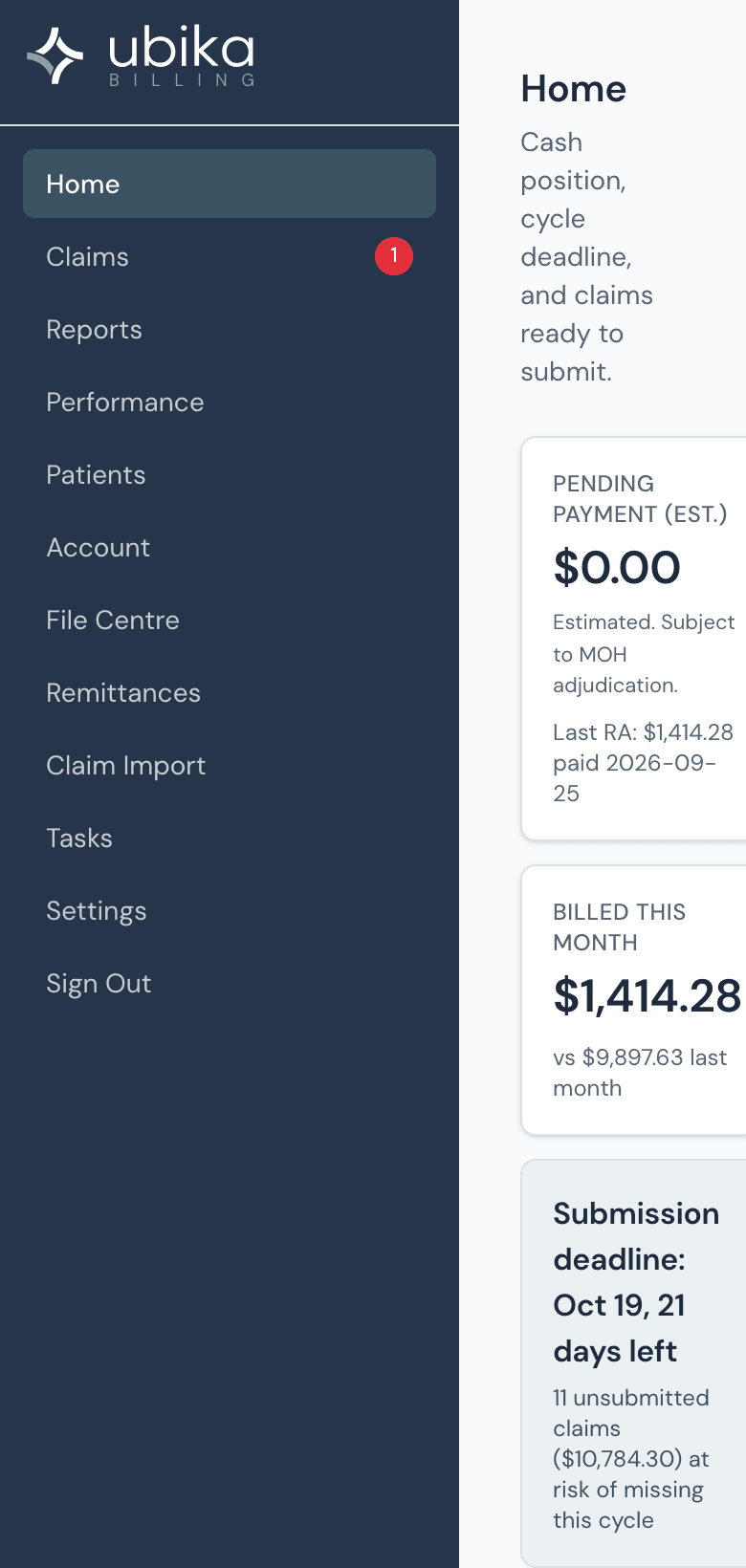
Tap the day
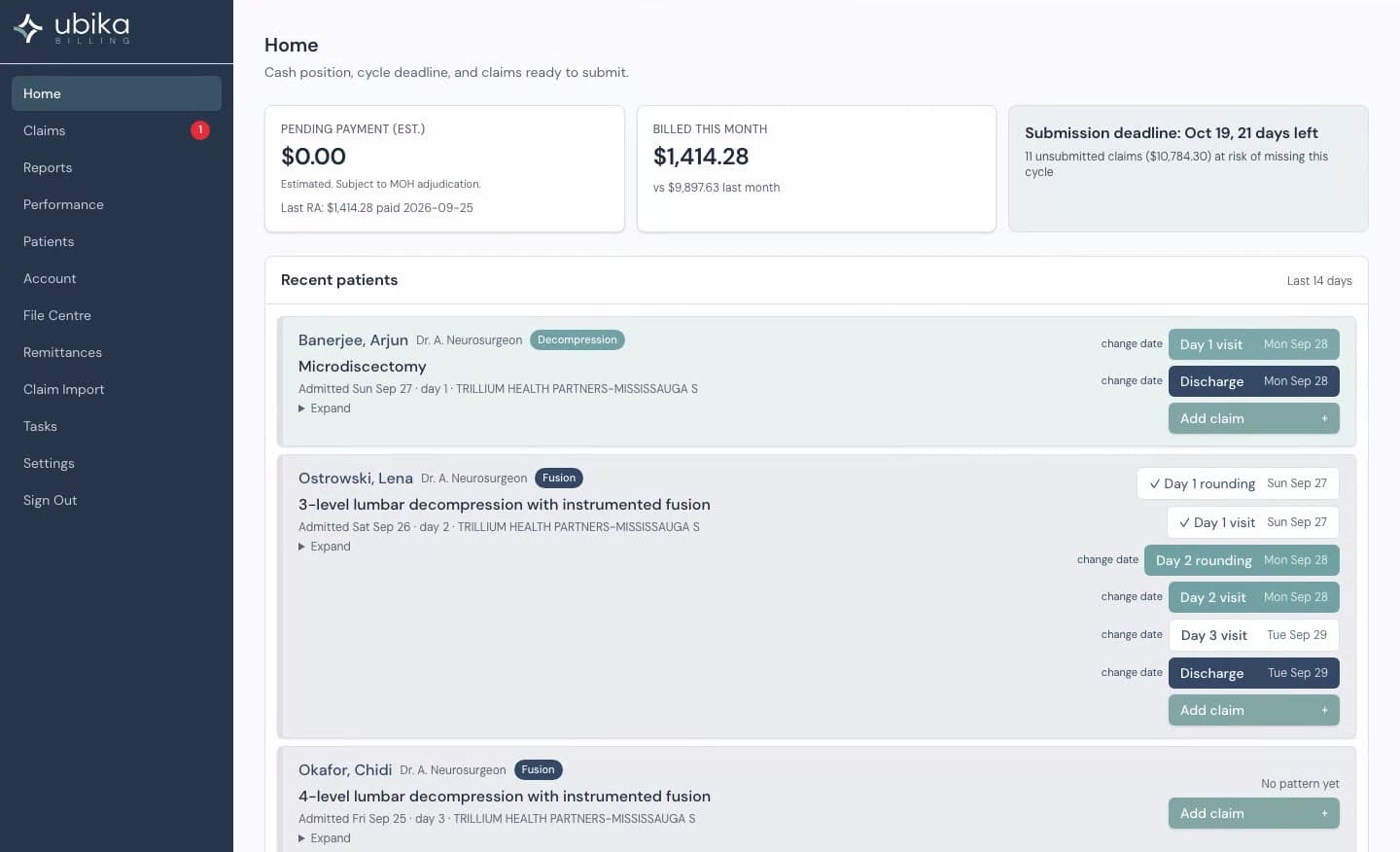
Each admitted patient shows Day 1, Day 2 and Discharge, from the pattern in your own history. The rounding claim is one tap, on your phone, before you leave the ward.
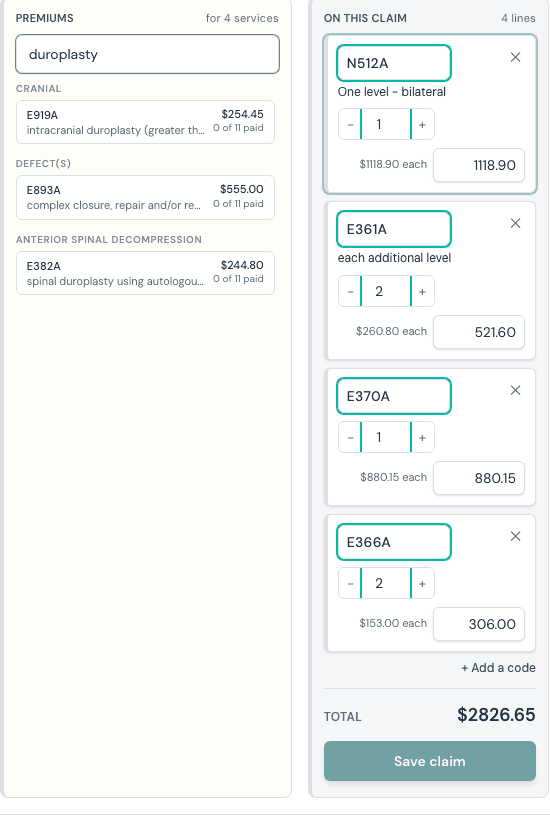
Ask for the premium
Type “duroplasty” and the agent finds the premium across the whole Schedule of Benefits, with the fee, the section it sits in and the page.
Premiums
Premiums are where self-billing physicians leave money. The agent reads the schedule the way a billing specialist does, for every code, and tells you why each one is on the list.

Named add-ons and chains
E370 then E366 for each additional level; a redo fusion reads as a redo.
Scope words
“to any intracranial procedure”, “in the Peripheral Nerves section”, “excluding N127”: the agent reads the note and obeys it.
Position on the page
An unnamed add-on applies to the heading it sits under, or to the run of codes just above it.
GP104 and GP109
After-hours premiums only where the rule allows them; the trauma premium as the General Preamble writes it.
Special visit Tables I to X
Travel, first person seen and additional person, by setting and by the clock.
Your paid history
“3 of 11 paid” on every premium: how often the ministry has paid you this code with this operation.
Watch
Three claims, recorded on a synthetic practice. No voice-over, no cuts. What you see is the application.
Performance
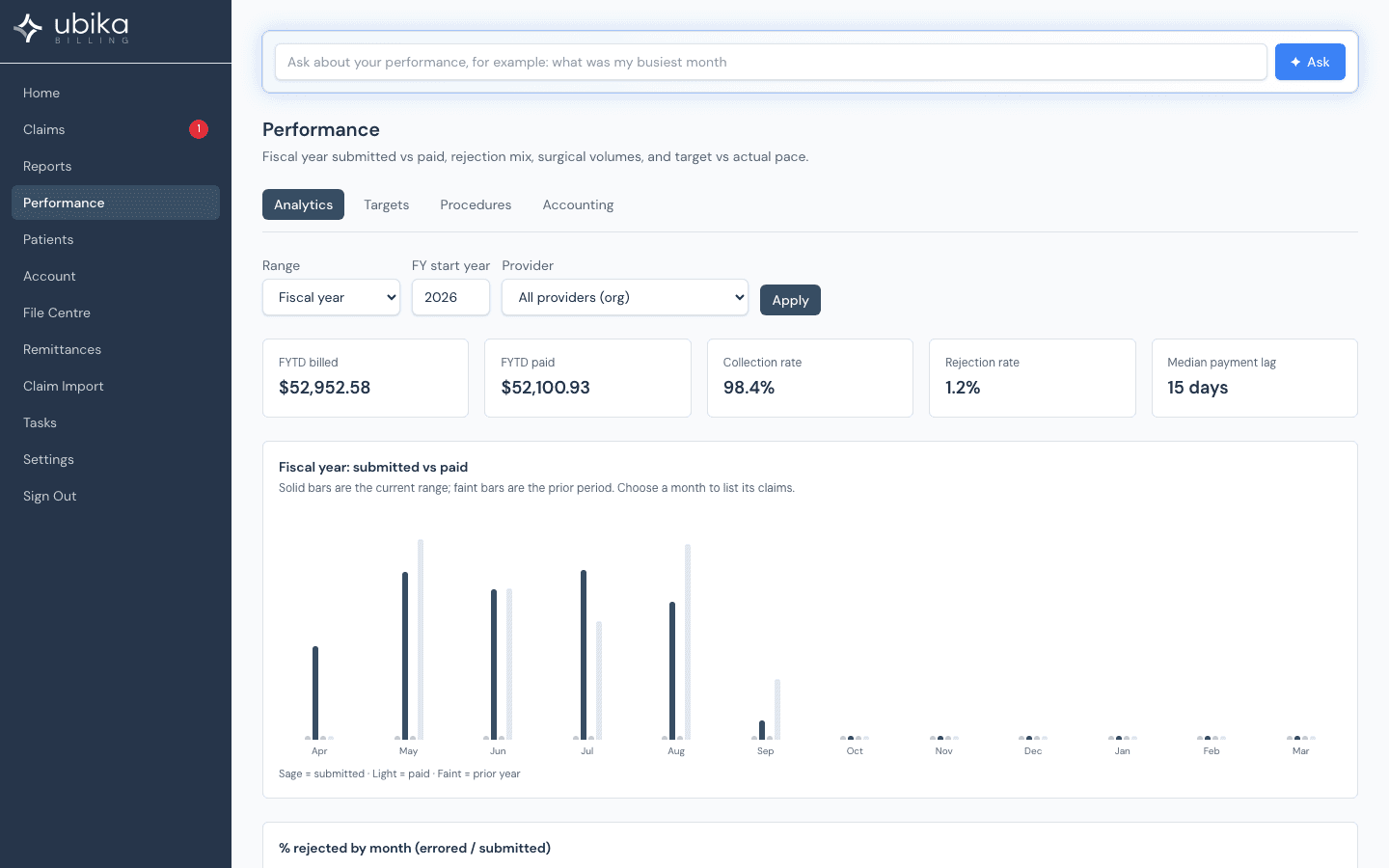
Your billing record is the most complete account of your practice that exists. The agent reads it back to you: by procedure, by hospital, by month, and in answer to a plain question.
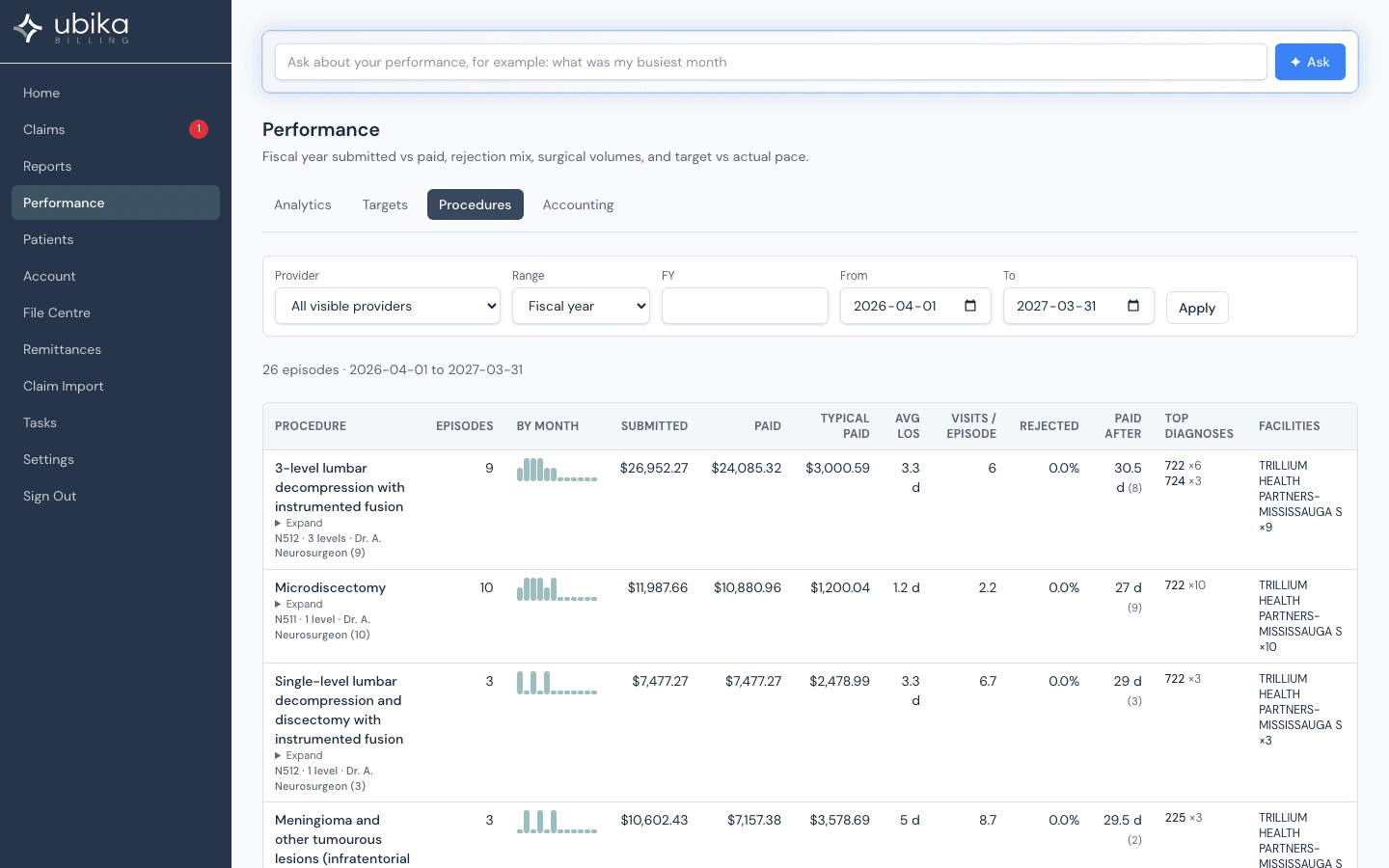
Cases by operation, not by code. Length of stay, visits per episode, what a case typically pays, how long the ministry takes to pay it, and where the rejections are. Ask a question in plain words and the agent answers from your own data.
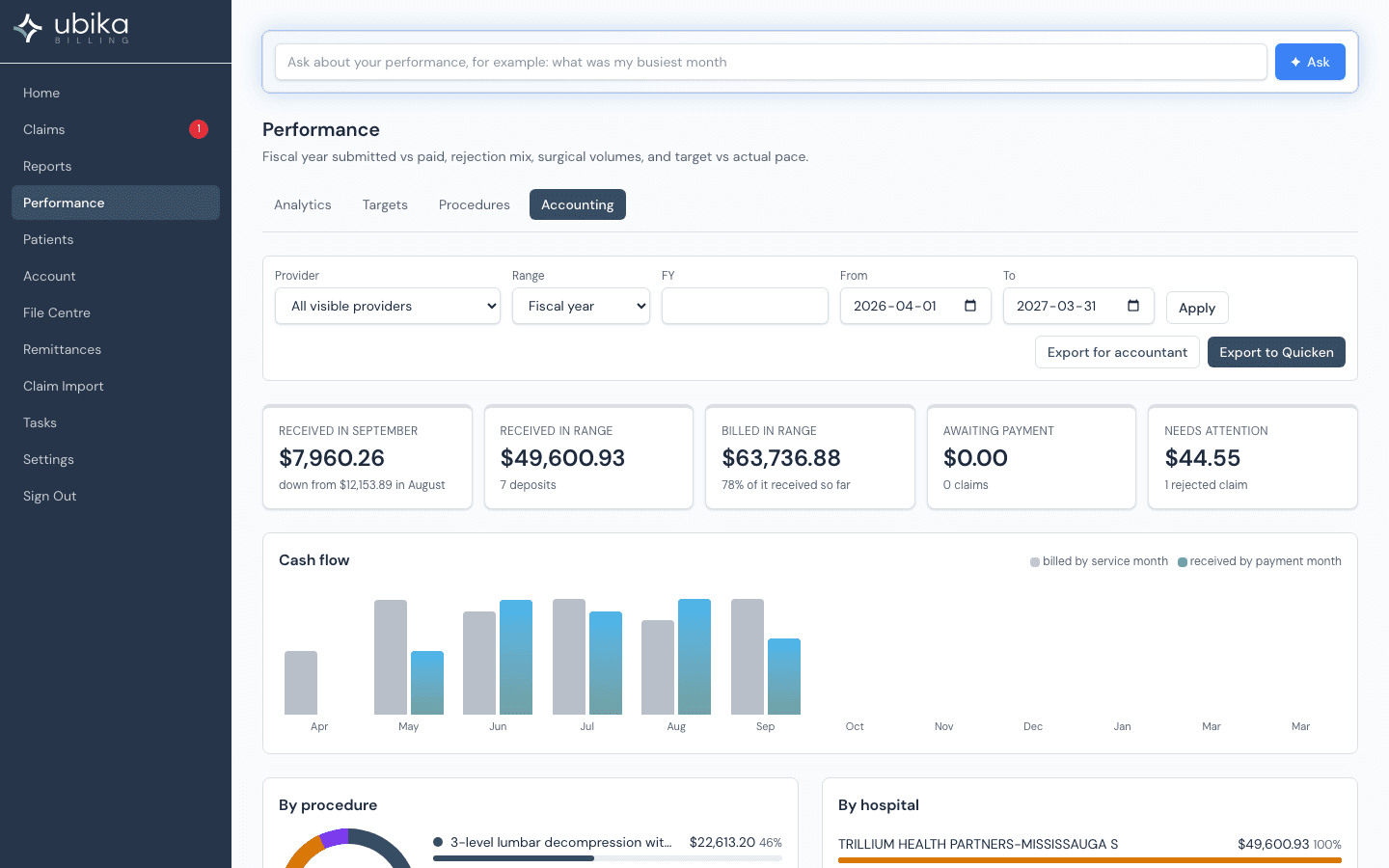
Every remittance becomes a deposit in your books: received, billed, awaiting payment, what needs attention. Cash flow by month, income by procedure and by hospital, and one file for your accountant and one for Quicken. Never a patient name in either.
Switching
Upload the ministry files you already download from CabMD or Dr.Bill. Before your first claim, the agent has built your macros, learned your rounding pattern and drawn two years of Procedures.
Sign up
Your practice and your billing number, MFA on. Ten minutes.
Upload your files
Claims, batch edits and remittances from your current app. The agent imports and reads them.
Connect the ministry
Your GO Secure credentials are entered once, encrypted in the application, and used only to talk to MC EDT.
Bill
Keep the old subscription until your first remittance lands here. Then cancel it.
Ubika Billing was written by a neurosurgeon who bills from the operating room, the ward and the clinic, and who wanted the schedule read for him the way he reads a scan: completely, and with the evidence in view.
Dr. Sumit Jhas, neurosurgeon and spine surgeon, Chief and Medical Director of the NeuroMSK Program at Trillium Health Partners. Co-founder, Ubika Health.
How the agent uses AI
The fear about AI billing comes down to one phrase: a confident code that does not exist. The agent is built so that cannot happen.
The agent suggests. It never submits. A physician or a delegate they named authorizes every claim.
Every code it offers is on a page of the Schedule of Benefits. It never invents a code, a fee or a rule.
It learns from your remittances only, inside your practice. Nothing is pooled across physicians.
Descriptions the AI writes are marked as AI-written until you accept them.
When the ministry publishes a new schedule, the agent flags the change for review. Nothing is applied silently.
Language models run only through Ubika’s own Azure gateway, under the same protection model as the rest of the application.
Security
A billing record names the patient, the diagnosis and the operation. Ubika Billing treats it as the chart it is.
Each practice is a tenant with row-level security enforced by PostgreSQL itself, not only by the application.
Health numbers, chart numbers and clinical text are encrypted field by field, searchable through blind indexes.
Claims travel to MC EDT through the ministry’s own web service, with evidenced recovery so nothing is ever uploaded twice.
Azure Canada, with MFA, an audit trail on every submission, download and change, and a written PHIPA protection model you can hand to a privacy office.
Bring one operation you did this week. We will build the claim together and show you the page behind every premium.